HUANUO Gas Spring Monitor Arm Review: Worth It for Small Desks? (2026)
Disclosure: As an Amazon Associate, UnfoldDesk earns from qualifying purchases at no extra cost to you. Links marked “Check price on Amazon” are affiliate links.
This is a research-based buyer’s analysis — not a hands-on lab test. Our assessment draws on the manufacturer’s published specifications, the product’s aggregated verified-buyer review profile on Amazon, and dimensional “will it fit” math for small rooms. We don’t accept payment for coverage, and picks can change as products do. See exactly how we evaluate products →
On the specs and its 16,000-plus verified-buyer profile, this is an easy small-desk pick — provided your screen is 13–32″ and sits within the arm’s weight range.
Check Price on AmazonQuick Verdict
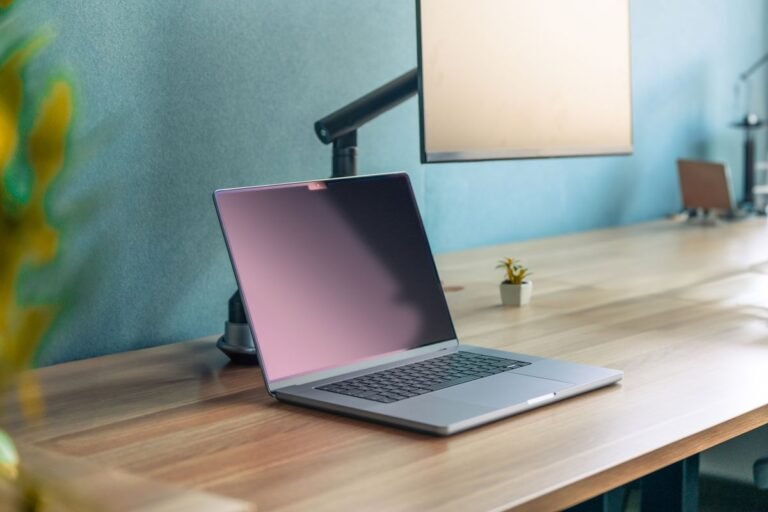
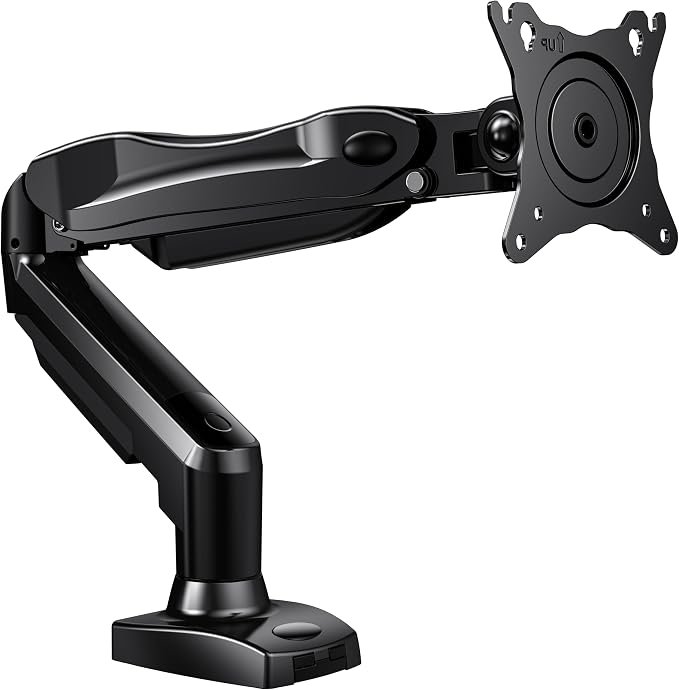
The HUANUO Gas Spring Monitor Arm is one of the simplest ways to reclaim a small desk: clamp it to the back edge, float your monitor, and the footprint a stand used to occupy becomes usable surface. Per the specs, the gas-spring mechanism is the draw — it is designed to glide to any height with one hand and hold position, which owners consistently prefer to a stiff mechanical arm. It supports 13-to-32-inch screens and carries a 4.6-star average across 16,000+ ratings on Amazon.
If your monitor is larger than 32 inches, the published size rating means you’ll need a heavier-duty arm instead.
Who Is This Monitor Arm For?
- Anyone on a small or shallow desk who wants the surface back from a bulky monitor stand
- People who reposition their screen often — sitting tasks, sharing, or clearing the desk
- Single-monitor setups with a 13–32 inch screen and a standard VESA mount
- Renters and desk owners alike — it clamps on with no permanent changes
It’s not ideal for screens larger than 32 inches or very heavy displays — check your monitor’s weight against the arm’s stated limit on the listing before buying.
Key Specs at a Glance
| Brand | HUANUO |
| Screen size | 13″–32″ |
| Mechanism | Gas spring (one-hand height adjust) |
| Mount | C-clamp + grommet |
| VESA | 75×75 and 100×100 |
| Motion | Height, tilt, swivel, rotate |
| Color | White (and other finishes) |
| Amazon rating | 4.6 stars, 16,000+ ratings |
| Price range | Check current price on Amazon |
Design and Build Quality
The HUANUO has the clean, low-profile look you want from an arm meant to make a desk feel less cluttered. The gas-spring cylinder carries the load, and the published range of motion — height, tilt, swivel, and rotation — lets you push the screen back against the wall to maximize a shallow desk, then pull it forward only when needed. A steel-frame clamp rated for monitors up to the listed weight implies the sturdiness most buyers expect at this price, a read reinforced by the 16,000-plus ratings.
Setup and Installation
Installation is straightforward on paper: clamp the base to the back edge of the desk (check your desktop thickness fits the clamp range), or use the included grommet option through a hole for a permanent mount. Attach the VESA plate to your monitor, click it onto the arm, then set the spring tension to match your screen’s weight. Built-in cable clips route the cords along the arm so the tidy look isn’t undone by dangling wires.
Performance in a Small Space
This is the whole reason to buy it. On a 24-to-32-inch deep desk, a monitor stand eats a surprising amount of usable area; floating the screen on the HUANUO hands that back. You can slide a keyboard underneath, set down notes, or simply work on a less cramped surface. By design, the gas spring makes daily height changes a one-hand move — useful if you alternate between typing, reading, and clearing the desk.
The gas-spring mechanism is built to hold position once tension matches the screen’s weight, so it shouldn’t drift. As with any gas-spring arm, owners note you may need to re-tension occasionally, and very light monitors can creep upward if the spring is set too strong — a 30-second adjustment either way.
Will It Fit Your Space?
The fit question is really two measurements. First, the desk edge: the C-clamp needs a clear strip of back edge and a desktop thickness inside its clamp range, so measure your edge before ordering. Second, the depth payoff. A typical small-apartment desk or alcove is only about 24 inches deep, and a conventional monitor stand’s base plus the set-back it forces can swallow 8–10 inches of that — roughly a third of the surface. Because this arm clamps at the very back edge and the screen rides on the cylinder above the desktop, that 8–10 inches comes back as flat, usable space.
One clearance to plan for: on a 24-inch-deep desk, pushing a 13–32 inch screen fully back still leaves a comfortable 20-plus inches of viewing distance for most people, but if your desk sits in a tight alcove, confirm you have a few inches of chair pull-out room so you’re not forced right up against the display. In a genuinely shallow nook, that arm reach is exactly what buys back the breathing room.
What Customers Are Saying
Across 16,000+ ratings averaging 4.6 stars, the recurring praise in the aggregated listing reviews is for the smooth one-hand adjustment, the desk space it frees, and the easy clamp installation — all consistent with its gas-spring design. The most common cautions in those same reviews involve matching the arm to the monitor’s weight (too heavy droops, too light drifts) and confirming desk-edge thickness before ordering. (Themes summarized from the listing’s rating profile; confirm current reviews before purchase.)
Who Should Buy This (and Who Shouldn’t)
Buy it if: you have a 13–32 inch monitor, want to free up a small desk, and value smooth one-hand height adjustment.
Skip it if: your screen is larger than 32 inches or unusually heavy — choose a heavy-duty arm instead.
Alternatives to Consider
For other arms and screen sizes: our roundup of the best monitor arms for small desks compares this against budget, ultrawide, and cable-management options.
To finish the clean look: pair it with a tidy setup from our cable management guide, or start with the desk itself in our compact desk picks.
When to Pick a Different Option Instead
This HUANUO arm is the right call when a single 13–32 inch screen is what’s crowding your desk. It’s the wrong starting point in three cases. If you run an ultrawide, a very heavy panel, or dual monitors, skip straight to the monitor arms roundup, where the budget and heavy-duty picks are rated for those loads. If your desk is already clear and the real mess is a tangle of cables, an arm won’t fix that — the cable management guide solves the actual problem for less money. And if the desk itself is simply too small or too deep for your room, no arm changes the footprint of the desk; the compact desk picks address that first. Buy the arm once you’ve confirmed the desk and the screen are the right ones to keep.
Is This Monitor Arm Right for You?
A gas-spring monitor arm earns its place on a small desk by floating your screen and clearing the surface. If your monitor is 13 to 32 inches, the HUANUO Gas Spring Monitor Arm adjusts with one hand and tidies your cables. Check that your desk edge and monitor weight suit the arm, then compare the current price.
Bottom line: a good monitor arm frees your desk and helps your posture. This HUANUO monitor arm is an easy way to float your screen, and for a small desk a single arm like this one is usually all you need — pick the monitor arm whose clamp and weight range fit your setup.
Frequently Asked Questions
Will the HUANUO arm fit my desk?
It clamps to the back edge of most desks; check that your desktop thickness falls within the clamp’s range and that there’s a few inches of clear edge to attach to. If the clamp won’t fit, the included grommet mount works through a drilled hole instead.
What monitor sizes does it support?
It’s designed for screens from 13 to 32 inches with a standard VESA 75×75 or 100×100 mount. For larger or ultrawide displays, you’ll want a heavy-duty arm rated for that size.
Is a gas-spring arm better than a mechanical one?
If you adjust your screen often, yes — the gas spring moves smoothly with one hand and holds position. If you’ll set the height once and leave it, a cheaper mechanical arm does the job just as well.
Does it really save desk space?
Yes. By floating the monitor off the desk and letting you push it back toward the wall, it frees the entire footprint a stand occupies — the single most effective space gain on a small desk.
Does it include cable management?
Yes, it has clips to route the monitor and power cables along the arm, keeping the reclaimed desk space looking clean rather than trading a stand for a tangle of wires.
Final Verdict
For a single 13–32 inch monitor on a small desk, the HUANUO Gas Spring Monitor Arm is an easy recommendation on paper: the specs and verified-buyer profile point to an arm that frees the surface, adjusts with one hand, and tidies your cables, all at a reasonable price. Just match it to your screen’s size and weight, and check your desk edge fits the clamp. Within those limits, it’s one of the best small upgrades you can make to a cramped workspace.
Affiliate disclosure: UnfoldDesk participates in the Amazon Associates program. Links in this review are affiliate links, and we may earn a commission at no extra cost to you. This does not affect our editorial judgment.