WALI Monitor Stand Riser with Drawer Review: Desk Organizer for Small Spaces (2026)
Disclosure: As an Amazon Associate, UnfoldDesk earns from qualifying purchases at no extra cost to you. Links marked “Check price on Amazon” are affiliate links.
This is a research-based buyer’s analysis — not a hands-on lab test. Our assessment draws on the manufacturer’s published specifications, the product’s aggregated verified-buyer review profile on Amazon, and dimensional “will it fit” math for small rooms. We don’t accept payment for coverage, and picks can change as products do. See exactly how we evaluate products →
A spec-smart pick for a single-monitor small desk: one 16-inch footprint lifts the screen roughly six inches and reclaims the space underneath as a drawer plus two pen holders. Best for one screen or a laptop, not a wide dual-monitor rig.
Check Price on AmazonQuick Verdict

The WALI Monitor Stand Riser with Drawer is a desk organizer that, on paper, does two jobs at once: it lifts your monitor to a better height and reclaims the space underneath as storage. On a small desk, that double duty is exactly what you want — a single footprint that holds the screen up and hides clutter in a pull-out drawer and two pen holders below. On the Amazon listing it carries a 4.7-star average across 15,000+ ratings, which points to a proven, low-cost upgrade.
The trade-off is size: at a published ~16 inches wide it’s built for a single monitor or laptop, not a wide dual-screen rig. A monitor stand that lifts your screen toward eye level also helps your posture; the Mayo Clinic office-ergonomics guide explains the height a good monitor stand should hit.
Who Is This Organizer For?
- Small-desk users who want to raise a single monitor or laptop toward eye level
- Anyone who needs to hide pens, sticky notes, and small supplies without a separate caddy
- People who want to use the space under the monitor instead of wasting it
- Budget setups that want an instant tidier, more ergonomic look
Based on its dimensions, it’s not the pick for a wide dual-monitor setup (look for a longer dual riser) or anyone who already floats their screen on a monitor arm.
Key Specs at a Glance
| Brand | WALI |
| Dimensions | ~16″ W × 10″ D × 6.4″ H |
| Storage | Pull-out drawer + 2 pen holders |
| Material | Plastic |
| Use | Single monitor or laptop riser |
| Color | Black (and other finishes) |
| Amazon rating | 4.7 stars, 15,000+ ratings |
| Price range | Check current price on Amazon |
Will It Fit Your Space?
This is where the published dimensions do the talking. A typical compact or apartment desk runs about 40 inches wide and 20 inches deep. At a listed 16 inches wide, the WALI takes up roughly 40% of that width, leaving around 24 inches of clear surface beside it — enough for a mug, a notebook, or a second small item, but not a second monitor. Its 10-inch depth sits against the back edge of a 20-inch desk and still leaves about 10 inches of free depth in front for your keyboard, so a standard board and wrist rest should clear it. The 6.4-inch lift is fixed, not adjustable: added to a typical monitor’s own stand, it raises the screen center several inches, which suits most seated users of average height but may overshoot if your eye line is already low. Because the riser sits on top of the desk rather than clamping to the edge, it doesn’t change your under-desk knee or chair-pullout clearance at all — the limiting factor there stays your desk height (usually ~29 inches), not this organizer.
Design and Build
The WALI is a simple molded riser with a shallow pull-out drawer and two pen slots built into the front. The useful part is geometry: it turns the dead air under your monitor into usable storage, so you reclaim desk surface that a separate organizer would otherwise occupy. The platform raises the screen roughly six inches per the spec sheet, nudging it toward eye level. The material is plastic, so it reads as light rather than premium; the manufacturer rates it for everyday monitors and laptops, and the 15,000-plus listing ratings are consistent with that intended use.
Setup and Use
By design there’s essentially no setup — set it on the desk, place your monitor or laptop on top, and slide your supplies into the drawer. The two pen holders keep the most-grabbed items in reach without cluttering the surface. Because it ships as a single molded piece, there’s nothing to assemble and nothing to mount.
Performance in a Small Space
On a small desk the WALI earns its footprint because it consolidates three things — a riser, a drawer, and a pen holder — into one ~16-inch footprint. Raising the monitor a few inches frees the area beneath it, and the drawer is sized to swallow the small clutter that usually colonizes a desk. In principle that yields a tidier, slightly more ergonomic setup without buying multiple accessories.
The limitations follow directly from the specs: the ~16-inch width is built for one screen, and the plastic construction is practical rather than luxurious. If you’ve already moved your monitor onto an arm, you don’t need a riser — a flat drawer-style organizer would then cover the storage side instead.
What Customers Are Saying
With 15,000+ ratings at 4.7 stars, buyers most often praise the dual function — monitor riser plus hidden storage — and how much desk clutter it removes, which matches the small-space role we recommend it for. The most common cautions in that aggregated review profile are about size and material: confirm the ~16-inch width suits your screen, and expect practical plastic rather than wood or metal. (Themes summarized from the Amazon listing’s aggregated rating profile, not from our own testing; confirm current reviews before purchase.)
Who Should Buy This (and Who Shouldn’t)
Buy it if: you have a single monitor or laptop, want it raised, and need hidden storage in the same footprint.
Skip it if: you run wide dual monitors, or you already use a monitor arm and just need a flat organizer.
Alternatives, and When to Pick Them Instead
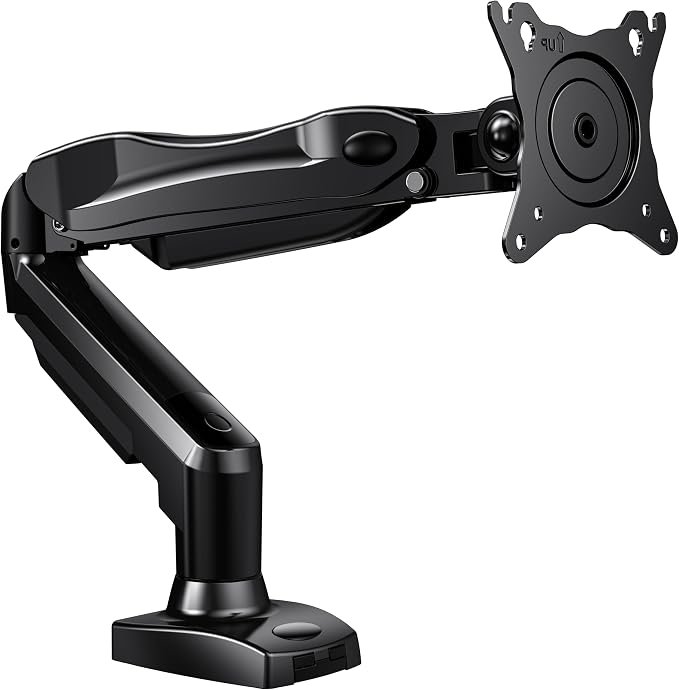
If you’d rather float the screen: a monitor arm frees even more desk space because it clears the surface entirely instead of resting a 16×10-inch base on it. Choose the arm when your desk is shallower than ~20 inches, when you want to swing or tilt the screen, or when you need the whole surface clear — then pair it with a flat drawer organizer for supplies. The WALI wins instead when you want zero mounting, no clamp, and storage built into the same piece.
If clutter is the real problem: if cables rather than the monitor are what crowd your desk, start with our cable management guide — a riser won’t tidy cords. And if the desk itself is the constraint, our compact desk picks are the better first buy; add the WALI afterward once you know your usable width. Pick the WALI over these only when your desk and cables are already fine and you specifically want to lift one screen and reclaim the space below it.
Is This Monitor Stand Worth It?
A monitor stand with a drawer earns its footprint by lifting your screen and hiding clutter at once. By its specs, this monitor stand suits a single monitor or laptop and keeps a small desk tidy. If you do not already float your screen on an arm, this monitor stand is a cheap, space-smart upgrade.
Bottom line: a good monitor stand does two jobs — it raises your screen toward eye level and reclaims the space underneath. A monitor stand with a drawer hides clutter, a solid monitor stand keeps your display stable, and the right monitor stand height keeps your neck neutral. For a tight desk, a monitor stand that doubles as storage is a smart monitor stand to consider.
Frequently Asked Questions
How does a monitor riser save desk space?
It turns the dead space under your monitor into storage — a drawer and pen holders sit beneath the raised screen, so you reclaim surface that a separate organizer would otherwise take. On a small desk, consolidating functions into one footprint is the whole point.
Will my monitor fit on it?
It’s about 16 inches wide, sized for a single monitor or a laptop. Most single screens sit comfortably on the platform; a wide dual-monitor setup needs a longer dual riser instead.
Does it need assembly?
No. It’s a single molded piece — set it on the desk, place your monitor on top, and start using the drawer. There’s nothing to build or mount.
How much does it raise the monitor?
Roughly six inches, which nudges most screens closer to eye level for a more comfortable viewing angle. It’s a modest, fixed lift rather than an adjustable one.
Do I still need this if I have a monitor arm?
Not as a riser — an arm already lifts the screen. In that case a flat drawer-style organizer covers the storage side without duplicating the riser function.
Final Verdict
Judged on its specs and its aggregated buyer feedback, the WALI Monitor Stand Riser with Drawer looks like a smart little buy for a small desk: it raises your screen, hides your clutter, and does both in one compact footprint. As long as you have a single monitor or laptop and don’t already use an arm, it’s an inexpensive way to make a cramped desk feel tidier and more ergonomic. The large review count supports the value.
Affiliate disclosure: UnfoldDesk participates in the Amazon Associates program. Links in this review are affiliate links, and we may earn a commission at no extra cost to you. This does not affect our editorial judgment.