Best External Hard Drives for Small Home Offices (2026)
Disclosure: As an Amazon Associate, UnfoldDesk earns from qualifying purchases at no extra cost to you. Links marked “Check price on Amazon” are affiliate links.
The Samsung T7 Shield is our top pick for most small home offices. It’s about the size of a credit card, transfers files at up to 1,050 MB/s, and needs no external power — plug it into a mini PC or laptop and it disappears into your setup. But the right drive depends on whether you want speed or raw capacity, and how much you can spend. Below we compare five external drives that make sense next to a compact desk, from a sub-$70 pocket SSD to a 5 TB spinner for full backups.
Every drive here is compact enough to live in a desk drawer or stick to the back of a monitor, is bus-powered (no wall wart cluttering a small workspace), and carries a 4.0+ star Amazon rating across thousands of reviews. We prioritized footprint, transfer speed, durability, and value per gigabyte.
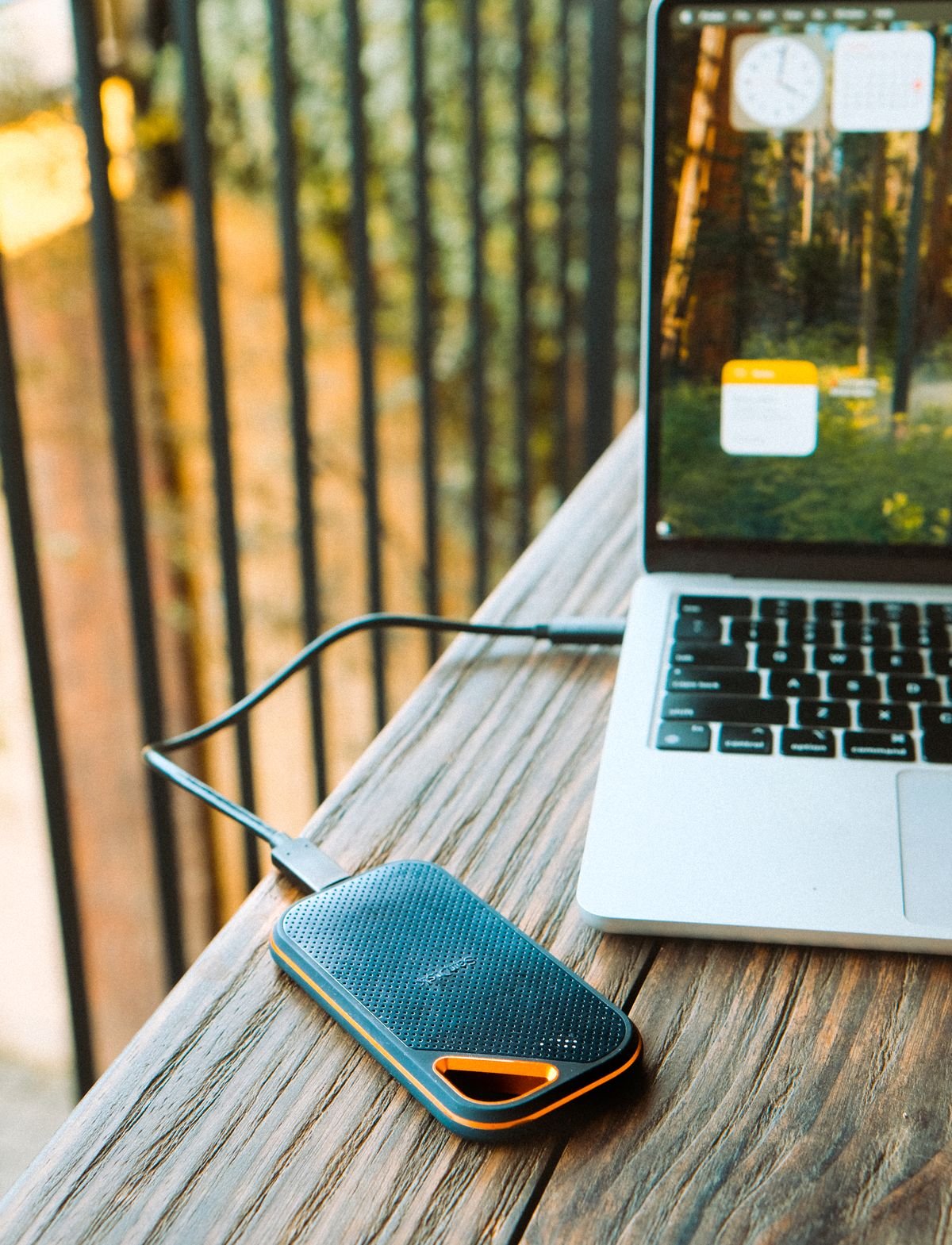
Rugged, credit-card-sized SSD with 1,050 MB/s speed — the best all-rounder for a small home office.
Our Top Picks at a Glance
| Drive | Best for | Capacity | Speed | Price |
|---|---|---|---|---|
| Samsung T7 Shield | Best overall | 1 TB | 1,050 MB/s | Check price |
| Crucial X6 | Best budget SSD | 1 TB | ~800 MB/s | Check price |
| WD My Passport | Best high-capacity backup | 5 TB | HDD (5,400 rpm) | Check price |
| SanDisk Extreme Portable | Best for video & creators | 1 TB | 1,050 MB/s | Check price |
| Samsung T9 | Best high-performance | 2 TB | 2,000 MB/s | Check price |
Best Overall: Samsung T7 Shield (1 TB)
The T7 Shield is the default answer for most people working in a small room. It’s barely larger than a few stacked credit cards (roughly 3.5 × 2.3 × 0.5 inches), weighs under 4 ounces, and delivers real SSD speed over USB-C without an external power brick. For a mini PC with a small internal drive — or a laptop you don’t want to clutter — it’s the cleanest way to add fast, portable storage.
- Why we picked it: the rugged IP65-rated shell shrugs off dust and spills, so it can sit on a desk corner or in a bag without worry.
- Bus-powered over USB-C: one cable carries both data and power — no extra outlet needed in a space that’s already short on them.
- Real-world speed: up to 1,050 MB/s sustained, fast enough to work directly from the drive if your internal SSD is full.
| Interface | USB-C 3.2 Gen 2 (USB-A adapter included) |
| Capacity options | 1 TB, 2 TB, 4 TB |
| Speed | Up to 1,050 MB/s read |
| Dimensions | ~3.5″ × 2.3″ × 0.5″ |
| Weight | ~3.5 oz |
| Durability | IP65 (water & dust resistant), drop-tested |
Pros: Fast, rugged, tiny, and widely reviewed; USB-A adapter in the box.
Cons: Costs more per gigabyte than a traditional hard drive; the 1 TB fills fast if you archive video.
Best for: Anyone who wants a set-and-forget fast drive that tucks next to a mini PC. Not ideal for: People who need 4 TB+ of cold storage on a budget — see the WD My Passport below. Check price on Amazon →
Best Budget SSD: Crucial X6 (1 TB)
The Crucial X6 is the cheapest reliable way to jump from a spinning drive to solid-state. It tops out around 800 MB/s — not as quick as the T7 Shield, but roughly 5–8× faster than a portable hard drive — and it’s even smaller, at under 3 inches square. For a first backup drive or extra scratch space on a budget, it’s hard to beat.
| Interface | USB-C 3.2 Gen 2 (USB-A adapter included) |
| Capacity options | 500 GB, 1 TB, 2 TB, 4 TB |
| Speed | ~800 MB/s read |
| Dimensions | ~2.7″ × 2.5″ × 0.4″ |
| Durability | Drop-tested up to 6.5 ft |
Pros: Excellent value per gigabyte; very small; plug-and-play with Windows, Mac, and consoles.
Cons: Slower sustained writes on very large transfers; plastic shell feels less premium than metal rivals.
Best for: Budget-minded buyers who still want SSD speed. Not ideal for: Daily 4K video editing workflows — the T9 below is a better fit. Check price on Amazon →
Best High-Capacity Backup: WD My Passport (5 TB)
When the job is “back up everything and forget about it,” a portable SSD gets expensive per gigabyte. The WD My Passport spins a traditional drive inside, which means slower speeds but dramatically more space for the money. At 5 TB, it can hold years of photos, documents, and old project files without breaking the bank — and it still fits in a drawer.
- Why we picked it: the highest capacity per dollar in this roundup, in a familiar, reliable 2.5-inch portable form factor.
- Backup software included: WD’s software handles scheduled, automatic backups so you don’t have to remember.
- Trade-off to know: moving files is slower (HDD, ~100–130 MB/s), so it’s for backup and archive, not for working off the drive.
| Interface | USB 3.0 (USB-A), backward compatible |
| Capacity options | 1 TB, 2 TB, 4 TB, 5 TB |
| Speed | ~100–130 MB/s (HDD) |
| Dimensions | ~4.3″ × 3.2″ × 0.75″ |
| Power | Bus-powered |
Pros: Huge capacity for the price; automatic backup software; widely available and reliable.
Cons: Much slower than SSD; the moving-parts drive is more fragile if knocked while running.
Best for: Full-system backups and long-term archives on a budget. Not ideal for: Anyone editing directly from the drive — get an SSD instead. Check price on Amazon →
Best for Video & Creators: SanDisk Extreme Portable SSD
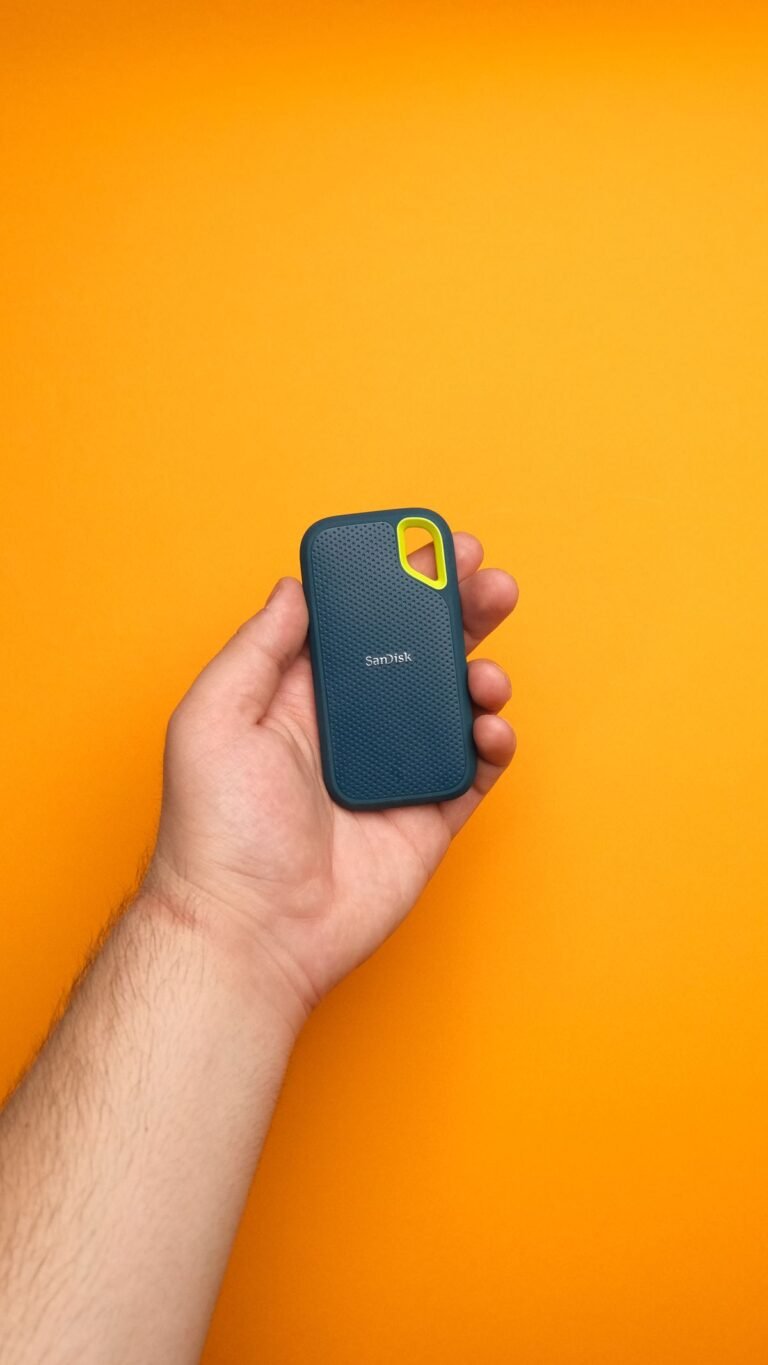
If your “small office” doubles as a place to edit video or photos, the SanDisk Extreme Portable earns its spot. It matches the T7 Shield’s 1,050 MB/s speed but adds IP55 water/dust resistance and a carabiner loop, so it’s built to travel between a desk and a shoot. It’s a favorite among creators for a reason.
| Interface | USB-C 3.2 Gen 2 |
| Capacity options | 500 GB – 4 TB |
| Speed | Up to 1,050 MB/s |
| Dimensions | ~4.0″ × 2.1″ × 0.4″ |
| Durability | IP55 water/dust resistant, drop-tested |
Pros: Fast, rugged, and dependable; works well as a direct-edit scratch drive.
Cons: Usually priced a touch above the T7 Shield for similar specs; the carabiner loop adds little bulk.
Best for: Photographers and video editors who move large files often. Not ideal for: Buyers who just need backups — the WD My Passport is far cheaper per terabyte. Check price on Amazon →
Best High-Performance: Samsung T9 (2 TB)
The T9 is the “I don’t want to wait” option. Its USB 3.2 Gen 2×2 interface roughly doubles the T7’s throughput to around 2,000 MB/s, which matters when you’re shuffling 4K footage or large datasets. It’s still palm-sized and bus-powered, so it keeps the clean look a small desk demands while acting like an external workhorse.
| Interface | USB-C 3.2 Gen 2×2 |
| Capacity options | 1 TB, 2 TB, 4 TB |
| Speed | Up to 2,000 MB/s |
| Dimensions | ~3.5″ × 2.4″ × 0.5″ |
| Durability | Drop-resistant (up to 3 m) |
Pros: Genuinely fast; sturdy; compact for the performance it delivers.
Cons: You only get the full 2,000 MB/s on a compatible Gen 2×2 port — many PCs cap at ~1,000 MB/s, so verify your hardware first.
Best for: Pros who move large files daily and own a compatible USB port. Not ideal for: Typical document-and-photo users, who won’t notice the difference over the T7 Shield. Check price on Amazon →
How We Chose These Drives
We started from the constraints of a small home office: limited desk surface, limited outlets, and often a mini PC or laptop with a modest internal drive. From there we filtered for four things.
- Footprint: every pick is small enough to sit behind a monitor, in a drawer, or velcroed under a desk.
- Bus-powered: no separate power brick — one cable does data and power, keeping cable clutter down.
- Speed vs. capacity balance: we split the list between fast SSDs for active work and a high-capacity HDD for backup, so there’s a clear choice for each use case.
- Proven reliability: we prioritized models with 4.0+ star Amazon ratings and thousands of reviews, and stuck to mainstream brands with long track records.
What we ruled out: drives with no USB-C, desktop drives that need a wall adapter, and unbranded or low-review SSDs where reliability is unproven.
What to Look for in an External Drive for a Small Workspace
SSD vs. HDD: pick the right tool
Solid-state drives (SSDs) are 5–10× faster, smaller, and more durable because they have no moving parts — ideal for active files. Traditional hard drives (HDDs) give you far more capacity per dollar, which makes them the right choice for backups and archives. In a small office, the smart setup is often one of each: a fast SSD for current projects and a big HDD for automatic backups.
Capacity: buy for two years, not two weeks
A 1 TB drive is the current sweet spot for most people; it holds a few hundred thousand photos or several hundred hours of HD video. If you shoot video or keep a large media library, jump to 2 TB or 4 TB. Remember that a drive is most reliable when it’s not full — leaving 15–20% free helps maintain performance on an SSD.
Interface and speed
USB-C is now standard and reversible, and all the SSDs here work over a single cable. The headline speed only matters if your computer’s port supports it: a USB 3.2 Gen 2×2 drive (like the T9) drops to Gen 2 speeds on older ports. Check your laptop or mini PC’s spec before paying for extra speed.
Durability for a busy desk
If the drive might get knocked over, splashed, or tossed in a bag, look for an IP rating and drop resistance. For a drive that never moves from its spot behind a monitor, durability matters less than price per gigabyte.
Frequently Asked Questions
Q: How much external storage do I need for a home office?
A: For most people, 1 TB is the right starting point — it covers documents, photos, and a few years of light media. Go to 2 TB or more if you record video, keep a large photo library, or want to back up your whole computer.
Q: Is a portable SSD worth it over a regular external hard drive?
A: Yes, for active files. A portable SSD is 5–10× faster, smaller, and more drop-resistant than an HDD, so it’s better for everyday use. For cheap bulk backup, a traditional drive like the WD My Passport still makes more sense per terabyte.
Q: Can I plug an external drive into a mini PC?
A: Yes. Mini PCs have USB ports, and every drive here is bus-powered, so it works with a single USB cable — a clean way to expand storage without opening the case.
Q: How long do external SSDs last?
A: A quality SSD typically lasts many years of normal use, and most carry a multi-year warranty. The bigger risks are physical drops and heat, so pick a rugged model if it travels, and keep a second backup of anything irreplaceable.
Q: What’s the best external drive for backing up a small business?
A: For automated backups, a high-capacity drive like the WD My Passport paired with its scheduling software is the simplest low-cost option. For faster recovery, a larger SSD such as the T7 Shield is worth the premium.
Final Thoughts
For most small home offices, the Samsung T7 Shield is the best balance of speed, size, and durability — fast enough to work from, small enough to forget about. If you’re on a budget, the Crucial X6 gets you most of that speed for less, and if you need to back up everything cheaply, the WD My Passport is the capacity champion. Prices on Amazon shift frequently, so check current figures before you buy.
UnfoldDesk is a participant in the Amazon Services LLC Associates Program. Links marked “Check price on Amazon” are affiliate links that earn us a commission at no extra cost to you.